English
 Arabic
 French
 Spanish
 Portuguese
 Deutsch
 Turkish
 Dutch
Dutch
 Italiano
 Russian
 Romaian
 Portuguese (Brazil)
 Greek
Greek
How Do Specialists Ensure Balanced Enhancement Outcomes?
Fitness |
2026-05-06 06:04:43
 Social Networth OS
 Creator Commerce
 Launch Startup
 Global News
 Creator Award
 Talkfever App
Ver Todos
Talkfever App
Ver Todos

Atualize para o Pro
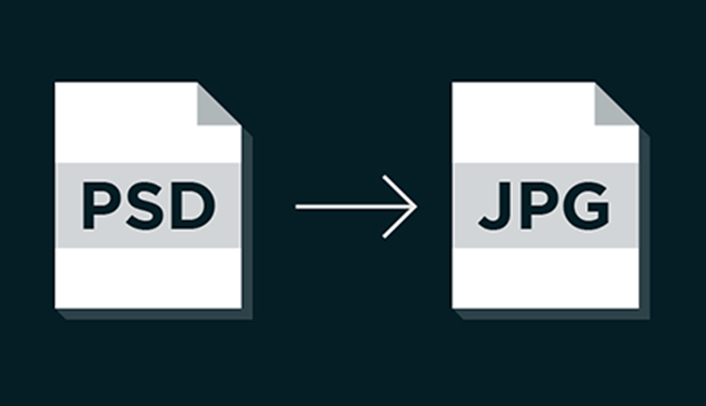
Digital images come in many formats, and each format serves a different purpose. PSD files are widely used by graphic designers because they preserve editable layers and Photoshop features. However, when a completed design needs to be shared, uploaded, or viewed on different devices, PSD may not always be the most convenient choice. Using a PSD to JPG converter can transform a Photoshop document into a more widely supported image format that is easier to handle.
JPG is one of the most commonly used image formats for websites, digital marketing, presentations, social media, and everyday image sharing. Converting PSD files into JPG can therefore help users move from the editing stage to the publishing and sharing stage without requiring recipients to have professional image-editing software.
PSD is the native project format associated with Adobe Photoshop. It can store layers, text, effects, masks, adjustment settings, shapes, and other editable components. This makes it ideal for creating and modifying complex designs.
JPG, on the other hand, is a raster image format designed primarily for storing and distributing finished images. It uses compression to reduce file size, which makes JPG particularly practical for online applications.
The fundamental difference is that PSD is generally used to work on an image, while JPG is generally used to share or display an image.
For this reason, converting a PSD file to JPG can be useful once a design is complete and no longer requires individual layer editing.
Converting a Photoshop file to JPG offers several practical advantages.
One of the biggest benefits is compatibility. JPG files can be opened by most operating systems, web browsers, smartphones, tablets, and image-viewing applications.
A recipient may not have Adobe Photoshop installed, but they can usually open a JPG without installing additional software. This makes JPG a convenient format for sending completed designs to clients, coworkers, friends, or customers.
Many websites and online platforms accept JPG images. Whether you are adding a featured image to a blog, uploading a product photograph, or creating a portfolio page, JPG can often be used without additional preparation.
PSD files may not be accepted by certain platforms because they are project files rather than standard web images. Conversion makes the completed design more suitable for online publishing.
PSD documents can become large when they contain numerous layers, high-resolution images, effects, and other design information.
JPG compression can significantly reduce the size of the final image. Smaller files are generally easier to upload, send through email, store, and share online.
Sharing a PSD file may not make sense when someone only needs to see the finished design. A JPG provides a simple preview that can be opened almost anywhere.
This is especially useful for businesses that need to send marketing graphics, product visuals, advertisements, brochures, or other completed designs for review.
The conversion process is usually straightforward when using an online file converter.
Start by selecting the PSD file that needs to be converted. Upload it to the conversion service and select JPG as the desired output format. After the conversion has finished, save the resulting image to your device.
Before using the converted file, open it and compare it with the original PSD. This helps identify any unexpected differences in the image.
For important professional projects, it is also recommended to keep the original PSD file. The JPG should be considered an exported copy rather than a replacement for the editable project.
Photoshop layers are an important feature of PSD files. A single document may contain dozens or even hundreds of individual layers.
When a PSD is converted to JPG, those layers are generally flattened into one image. This means the individual components can no longer be edited separately in the JPG file.
For example, if a PSD contains a product photograph on one layer and text on another, the JPG combines them into a single visual. You cannot normally select the text or photograph independently after conversion.
This is why keeping the original PSD is important if the design may need future changes.
The effect on image quality depends on the conversion settings and the content of the original file.
JPG uses lossy compression, which means some image information can be discarded to achieve a smaller file size. At high-quality settings, the visual difference may be minimal. At aggressive compression levels, artifacts can become more noticeable.
Images with photographs, gradients, and complex colors often work well with JPG compression. Designs containing very sharp text, simple graphics, or fine lines may require more attention to quality settings.
If a conversion tool provides different quality options, users should select an appropriate setting based on how the image will be used.
Website owners frequently need images that are easy to display and reasonably sized. JPG can be useful for blog graphics, photographs, product images, banners, and portfolio content.
A smaller image can also reduce the amount of data a browser needs to download. However, image optimization should be considered alongside other website performance factors.
After converting a PSD file, users can further optimize the JPG according to the requirements of their website. The goal is to maintain acceptable visual quality without creating unnecessarily large files.
Graphic designers often work with PSD files throughout the creative process. Once a project has been approved, however, clients may need a format that is easier to open and share.
JPG can be a convenient delivery format for finished designs. Designers can maintain the editable PSD as the source file while providing JPG versions for previews, websites, presentations, or marketing campaigns.
This approach creates a clear separation between the working file and the final-use image.
Social media content often begins as a professional design created in Photoshop. After the design is completed, it needs to be uploaded to a social platform.
JPG can make this process easier because it is broadly supported by online services. Instead of sending a large layered PSD, creators can export a finished image that is ready for posting.
Before publishing, it is still important to check the dimensions and aspect ratio required by the specific platform. A properly sized JPG can help prevent unwanted cropping or distortion.
Large PSD files may be inconvenient to attach to an email. They may also require recipients to use specialized software.
A JPG copy can be much easier to include in an email or presentation. Business teams can use converted images in proposals, reports, presentations, internal documents, and client communications.
This makes format conversion particularly useful in collaborative environments where not everyone works with Photoshop.
After converting PSD to JPG, take a moment to inspect the output.
Check whether:
The complete design is visible.
Text appears correctly.
Colors look acceptable.
The background has been rendered properly.
Image dimensions are appropriate.
The file opens correctly on your intended device.
The file size is suitable for its purpose.
Transparency deserves particular attention. PSD documents can contain transparent areas, while JPG does not support transparency. If the original design uses transparency, the resulting JPG may display those areas against a solid background.
JPG is useful for many situations, but it is not the ideal format for every image.
If transparency is essential, PNG may be a better choice. If you need an editable project, retaining the PSD is necessary. For modern websites, WebP or other formats may also be considered depending on the platform and requirements.
The best format depends on what you need to do with the image after conversion. A designer may keep the PSD for editing, export JPG for general sharing, and use another format for specific online applications.
A few simple practices can make the conversion process more reliable.
First, always preserve the original PSD file. It contains information that may not survive conversion.
Second, avoid repeatedly converting and recompressing the same JPG. If you need a new JPG version, it is generally better to create it again from the original PSD.
Third, review the final image before publishing it. Small issues such as changed backgrounds, reduced quality, or incorrect dimensions are easier to fix before the image is distributed.
Finally, choose the output quality based on the intended use. A high-resolution image intended for professional presentation may require different settings from a small image intended for a webpage.
PSD files are excellent for creating and editing complex Photoshop projects, but their specialized nature can make them less convenient for everyday sharing. JPG offers broad compatibility, smaller file sizes, and easy integration with websites, social media platforms, email, and presentation software.
A reliable PSD to JPG conversion process allows users to preserve their original editable project while creating a practical copy for distribution. Whether you are a designer, marketer, student, photographer, or website owner, understanding when and why to convert PSD files can make digital image management much easier.
For users who need a convenient online solution for converting digital files, Lets Convert offers tools designed to simplify file-format conversion and help users prepare files for different digital applications.