English
 Arabic
 French
 Spanish
 Portuguese
 Deutsch
 Turkish
 Dutch
Dutch
 Italiano
 Russian
 Romaian
 Portuguese (Brazil)
 Greek
Greek
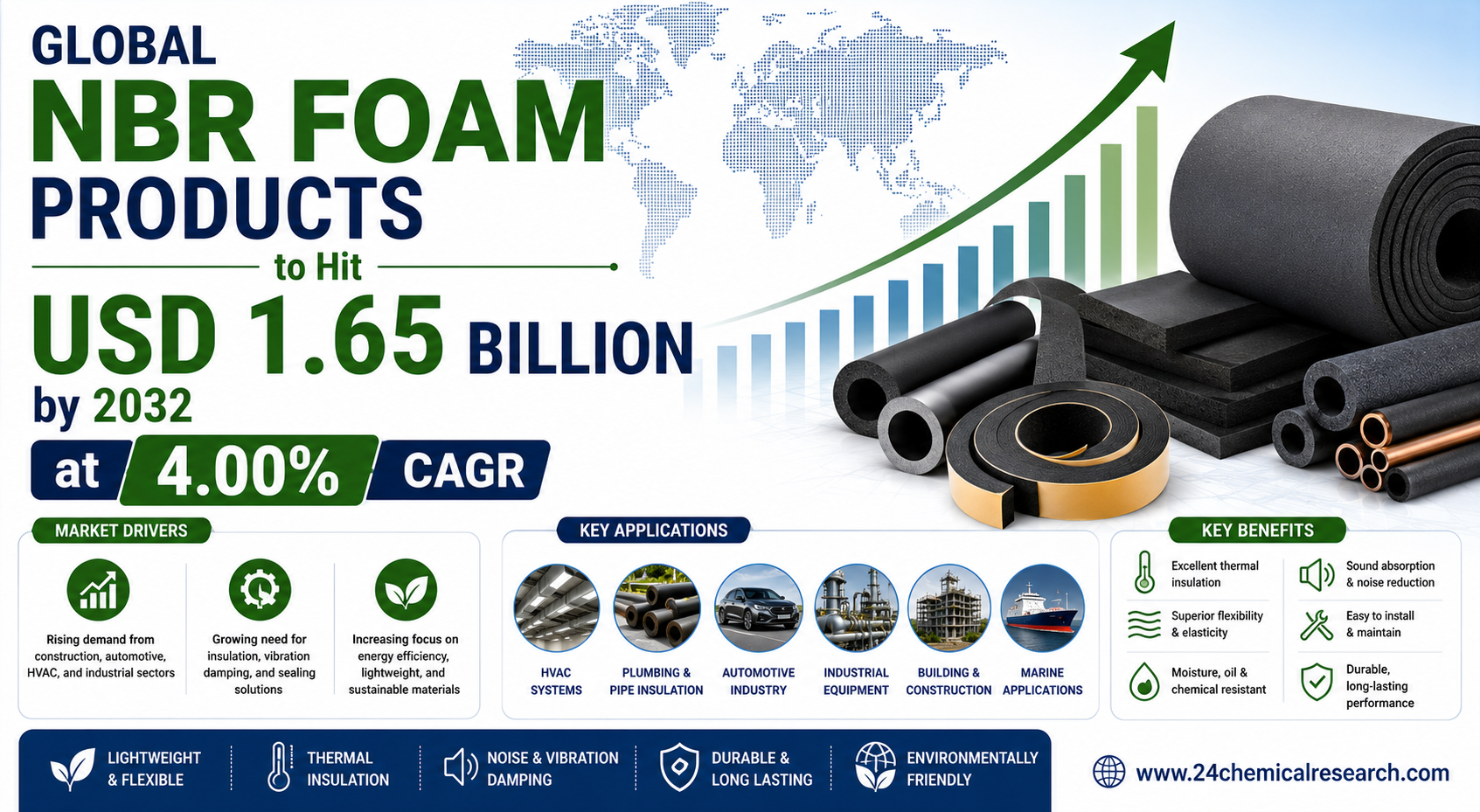
Global NBR Foam Products to Hit USD 1.65 Billion by 2032 at 4.00% CAGR
غير مصنف |
2026-06-04 07:41:20
 Social Networth OS
 Creator Commerce
 Launch Startup
 Global News
 Creator Award
 Talkfever App
عرض كل النتائج
Talkfever App
عرض كل النتائج

ترقية الحساب
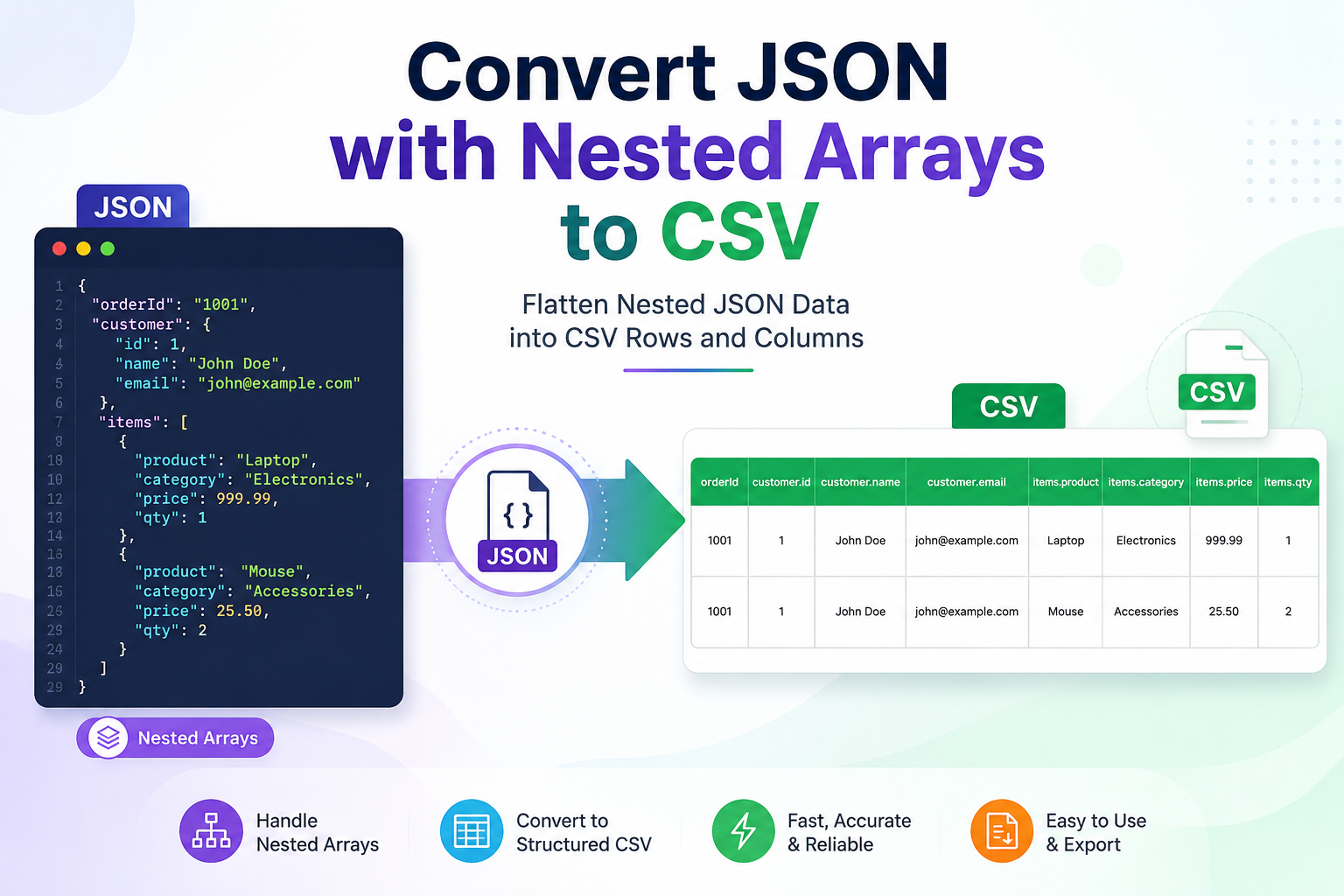
Convert JSON with nested arrays to CSV when you need to turn hierarchical API responses, application exports, logs, or other structured data into a flat table. The main issue is that JSON can contain objects inside objects and arrays inside those objects, while CSV works with rows and columns. So, a direct conversion may not produce the clean table you expect.
Here’s the thing: nested arrays are not a problem if you first decide how the data should become rows and columns. The right approach depends on the JSON structure, file size, technical skills, and how much control you need over the final CSV. Let’s break that down.
JSON and CSV serve different purposes. JSON is a text-based format for structured data, with two structured types: objects and arrays. An array can contain values of different types, including other objects and arrays.
CSV, on the other hand, represents information in a tabular form. Each row normally represents a record, while columns represent individual fields. This makes CSV convenient for spreadsheets, reporting, database imports, and data analysis.
JSON is great for storing structured and hierarchical data, but CSV is often easier to open, analyze, share, and import into spreadsheet or database applications. When JSON contains nested arrays, converting it to CSV can flatten the data into a more practical row-and-column format. Here are some common reasons to convert JSON to CSV format:
In short: If your JSON contains nested arrays and you need the information in a spreadsheet-friendly format, converting it to CSV can make the data much easier to work with.
There are several ways to convert JSON files containing nested arrays into CSV format. The right method depends on your technical skills, file size, and how much control you need over the output. Below are three practical methods, starting with coding-based options and ending with a dedicated conversion tool.
Python is a good choice when you need complete control over how nested arrays are flattened. You can use the built-in .json and .csv modules to read the source file, extract nested values, and create CSV rows. Follow the steps given below:
Pros:
Cons:
When JSON files contain nested objects, arrays, or large datasets, manual conversion can take time and may require custom scripting. An offline JSON converter offers a simpler way to convert JSON file with nested arrays to CSV without writing code. The SysTools JSON Converter Tool supports nested JSON and NDJSON files and can export JSON data to CSV along with 17+ other formats.
If you want to process confidential JSON data locally, the tool also performs conversion on the user's system rather than uploading files to an external server. Here are some best features of using advanced utility:
For users who want a nested JSON file to CSV converter without coding, this approach can save the effort of creating and maintaining custom scripts. You can also test the demo before deciding whether the full version fits your conversion requirements.
Convert JSON with nested arrays to CSV when you need hierarchical data in a simple, spreadsheet-friendly format. Python and pandas work well for users who need custom control, while an offline converter is easier for those who prefer a no-code approach. Before converting, check how nested arrays should be represented as rows so the final CSV remains accurate and easy to use.