


 IMS for Investors
 Global News
 Vdo Junction
 Talkfever App
 Upcoming
What Is IP Address? Understanding the Digital Address Behind Every Internet Connection
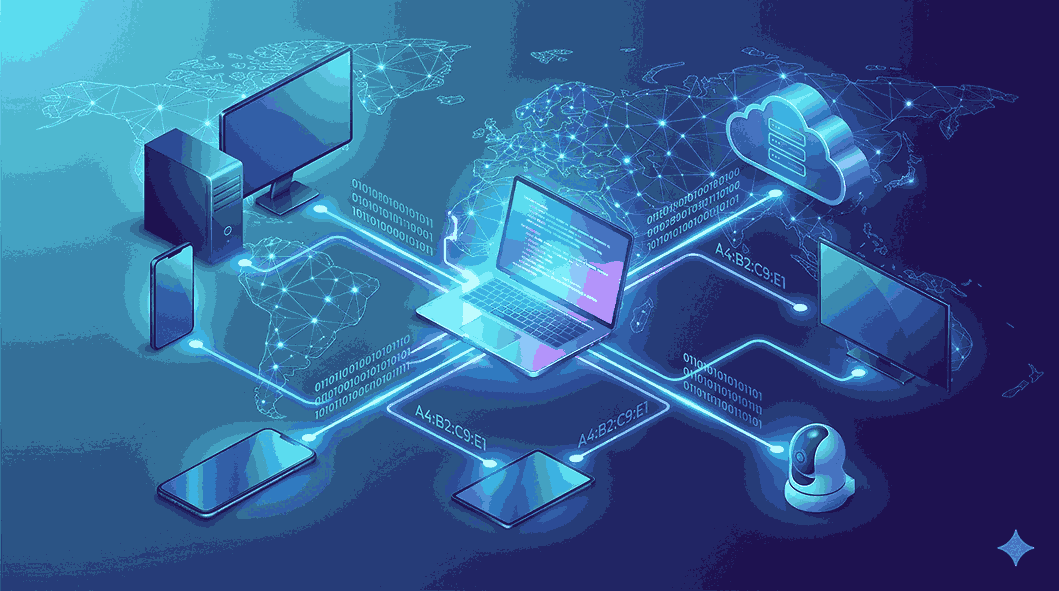
The internet has become an essential part of daily life. Whether you're browsing websites, watching videos, sending emails, or using social media, your device relies on a unique identifier to communicate with other devices and servers around the world. If you've ever wondered What Is IP Address, the answer lies in how the internet identifies and connects every device online. Understanding this concept can help you better grasp how information travels across networks and reaches its intended destination.
An IP address is one of the most important components of modern networking. Without it, devices would not be able to find each other or exchange data efficiently. Every smartphone, laptop, tablet, gaming console, and smart device connected to a network uses an IP address to send and receive information, making seamless internet communication possible.
What Is an IP Address?
An IP address, short for Internet Protocol Address, is a unique numerical identifier assigned to a device connected to a network that uses the Internet Protocol for communication. It acts as a digital address that helps devices send and receive information.
Just as a postal address helps deliver mail to the correct location, an IP address ensures that data reaches the correct device on a network. Every time you visit a website or use an online service, your device uses its IP address to communicate with servers and receive information.
Without IP addresses, internet communication would not be possible because devices would have no way of identifying one another.
Why Are IP Addresses Important?
IP addresses play a critical role in internet communication. They allow devices to connect, exchange information, and access online services.
Some of the main functions of an IP address include:
-
Identifying devices on a network
-
Enabling communication between systems
-
Routing internet traffic efficiently
-
Supporting online services and applications
-
Helping network administrators manage devices
Whenever you perform an online activity, your IP address helps establish the connection needed to complete that action.
How Does an IP Address Work?
When you enter a website address into your browser, several processes occur behind the scenes. Your device sends a request to access the website, and that request includes your IP address.
The website's server receives the request and sends the required information back to your device using the IP address provided. This process happens within seconds and allows web pages, videos, images, and other online content to load correctly.
The internet relies on billions of IP addresses to ensure information is delivered accurately between devices worldwide.
Types of IP Addresses
There are different types of IP addresses designed for various networking purposes.
Public IP Address
A public IP address is assigned by an Internet Service Provider (ISP). This address is visible on the internet and allows communication between your network and external websites or services.
Every internet-connected home or business typically has at least one public IP address.
Public IP addresses help websites recognize incoming requests and send responses back to users.
Private IP Address
Private IP addresses are used within local networks. Devices connected to the same router receive private IP addresses that allow them to communicate with one another.
Examples of devices using private IP addresses include:
-
Smartphones
-
Computers
-
Printers
-
Smart TVs
-
Security cameras
Private IP addresses are not directly accessible from the internet and help improve network organization and security.
Static IP Address
A static IP address remains unchanged over time.
Businesses often use static IP addresses because they provide a consistent location for services such as websites, email servers, and remote access systems.
Benefits of static IP addresses include:
-
Stable connections
-
Easier server management
-
Reliable remote access
Dynamic IP Address
Most residential internet users receive dynamic IP addresses.
These addresses are automatically assigned by the ISP and can change periodically. Dynamic IP addresses help internet providers manage their available address pools more efficiently.
Most users do not notice when their dynamic IP address changes because internet access continues to function normally.
Understanding IPv4
IPv4 is the most widely recognized version of the Internet Protocol.
An IPv4 address consists of four sets of numbers separated by periods.
Example:
192.168.1.1
IPv4 uses a 32-bit addressing system, allowing approximately 4.3 billion unique addresses.
When the internet was first developed, this number seemed more than sufficient. However, the rapid growth of internet-connected devices eventually led to a shortage of available IPv4 addresses.
Understanding IPv6
IPv6 was introduced to solve the limitations of IPv4.
Unlike IPv4, IPv6 uses a 128-bit addressing system that supports an enormous number of unique addresses.
An example of an IPv6 address looks like this:
2001:0db8:85a3:0000:0000:8a2e:0370:7334
The expanded address space ensures that future generations of internet-connected devices will have sufficient unique identifiers.
IPv6 also offers improved efficiency, security features, and better support for modern networking requirements.
Public IP vs Private IP
Many people confuse public and private IP addresses, but they serve different purposes.
A public IP address identifies your network on the internet.
A private IP address identifies individual devices within your local network.
For example, your home router may have one public IP address provided by your ISP, while your laptop, phone, and smart TV each have their own private IP addresses.
This system allows multiple devices to share a single internet connection efficiently.
How Websites Use IP Addresses
Websites use IP addresses for several important reasons.
Delivering Content
When you visit a website, the server needs your IP address to send information back to your device.
Security Monitoring
Many websites monitor IP addresses to identify suspicious activities, spam attempts, or unauthorized access.
Geographic Customization
Websites often use IP-based location information to provide region-specific content, language options, and recommendations.
Analytics
Website owners use IP data to understand visitor locations and traffic patterns.
Can an IP Address Reveal Your Location?
An IP address can provide an approximate geographic location but does not reveal your exact home address.
Typically, IP-based location services can identify:
-
Country
-
Region
-
City
-
Internet Service Provider
The accuracy varies depending on the location database being used.
While IP addresses offer some geographic information, they generally do not provide precise personal details.
How to Find Your IP Address
Finding your IP address is relatively simple.
Most devices display network information through their settings menus.
You can also search online for "What is my IP address" to view your public IP address instantly.
Knowing your IP address can be useful when troubleshooting internet connectivity issues or configuring network devices.
How to Protect Your IP Address
Although IP addresses are necessary for internet communication, many users prefer to limit their visibility for privacy reasons.
Use a VPN
A Virtual Private Network encrypts your internet traffic and masks your actual IP address by routing your connection through a secure server.
Secure Your Network
Using strong passwords and updated security settings can help protect your network from unauthorized access.
Avoid Untrusted Networks
Public Wi-Fi networks may expose your information to additional risks if proper security measures are not in place.
Keep Devices Updated
Regular software updates help protect against vulnerabilities that could be exploited by attackers.
Common Uses of IP Addresses
IP addresses support countless online activities.
Some common examples include:
-
Browsing websites
-
Online gaming
-
Video streaming
-
Remote work
-
Video conferencing
-
Cloud storage
-
Smart home devices
Every connected service relies on IP addresses to facilitate communication and data exchange.
Common Misconceptions About IP Addresses
Many people have misunderstandings about how IP addresses work.
One common myth is that an IP address reveals your exact location. In reality, it usually only indicates an approximate area.
Another misconception is that IP addresses never change. Dynamic IP addresses frequently change depending on ISP policies.
Some users also believe every device has its own public IP address. In many cases, multiple devices share a single public IP through a router while using unique private IP addresses internally.
Conclusion
Understanding what is IP address is essential for anyone who wants to learn how the internet functions. IP addresses act as digital identifiers that enable devices to communicate, share information, and access online services. From browsing websites to streaming videos and using smart devices, nearly every online activity depends on IP addresses working behind the scenes.
As technology continues to evolve, IP addresses will remain a fundamental part of internet communication. Whether you're a beginner exploring networking concepts or simply curious about how online connections work, understanding IP addresses provides valuable insight into the digital world. For more easy-to-understand technology guides and internet-related topics, Get Answerss serves as a helpful resource for expanding your knowledge.
 Portuguese (Brazil)
 English
 Arabic
 French
 Spanish
 Portuguese
 Deutsch
 Turkish
 Dutch
Dutch
 Italiano
 Russian
 Romaian
 Greek
Greek